Last updated:2026-10-12
AddressSanitizer Memory Checking
C and C++ are very unsafe and error-prone programming languages. Address Sanitizer is a tool developed by Google for detecting memory access errors such as use-after-free and memory leaks. It has been integrated into GCC versions >= 4.8 and can be used for both C and C++ code. Address Sanitizer uses runtime instrumentation to track memory allocations, which means you must build your code with AddressSanitizer to take full advantage of its features.
- Use after free (dangling pointer dereference)
- Heap buffer overflow
- Stack buffer overflow
- Global buffer overflow
- Use after return
- Use after scope
- Initialization order bugs
- Memory leaks
This article will introduce the memory detection tool AddressSanitizer using the 8 scenarios above.
1.Use after free
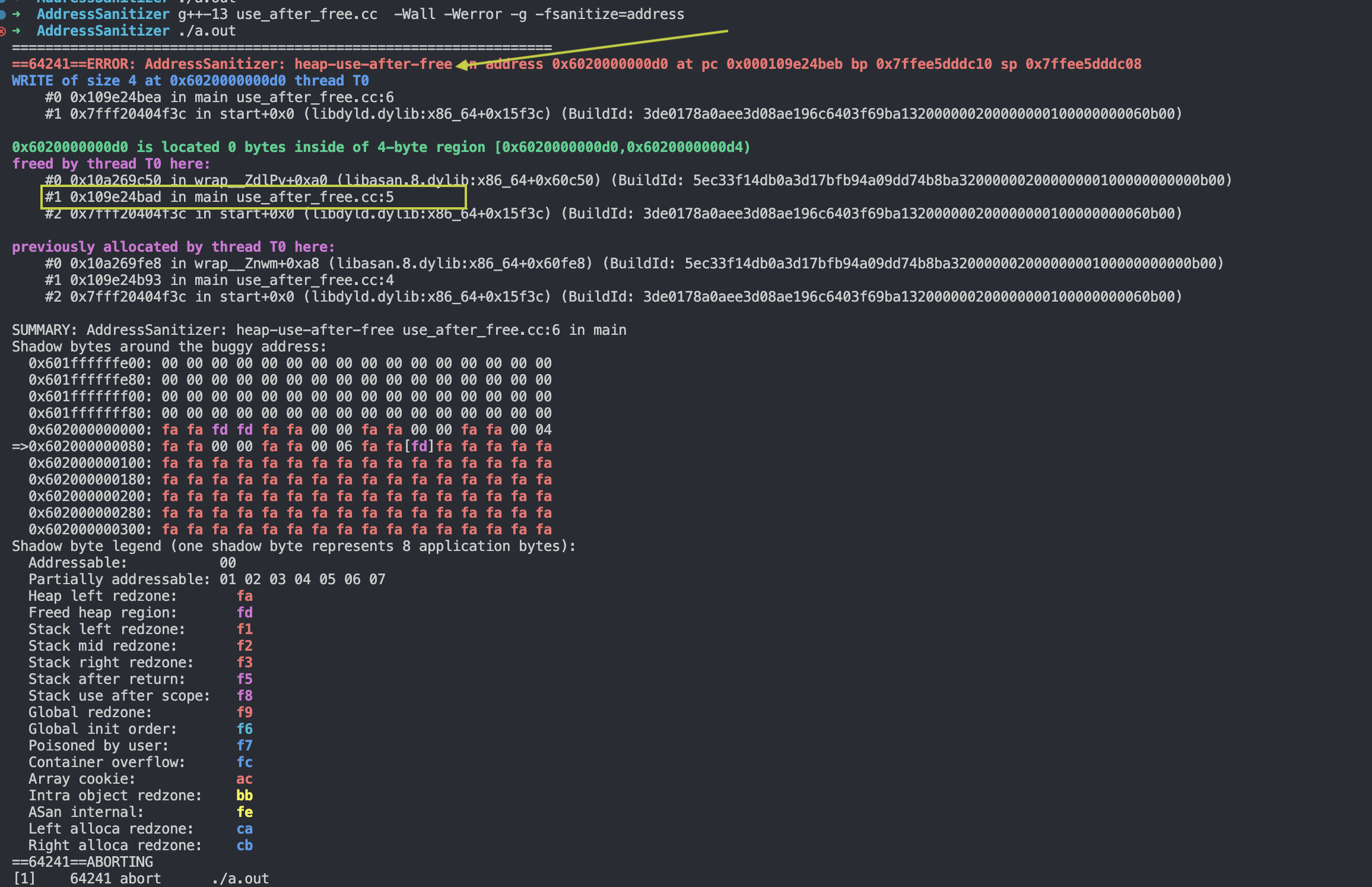
Take the following code as an example. First, memory for one integer is allocated with the new keyword and its address is assigned to the pointer ptr. Then the memory is released with the delete keyword. However, after the release, the program still tries to access the freed memory through the pointer ptr and assign the value 10 to that memory location — this is a use-after-free error.
#include <iostream>

int main() {
  int* ptr = new int;
  delete ptr;
  *ptr = 10;  // Use after free
  return 0;
}
Add the following option at compile time.
Run the generated binary and you get the following result.
2.heap buffer overflow
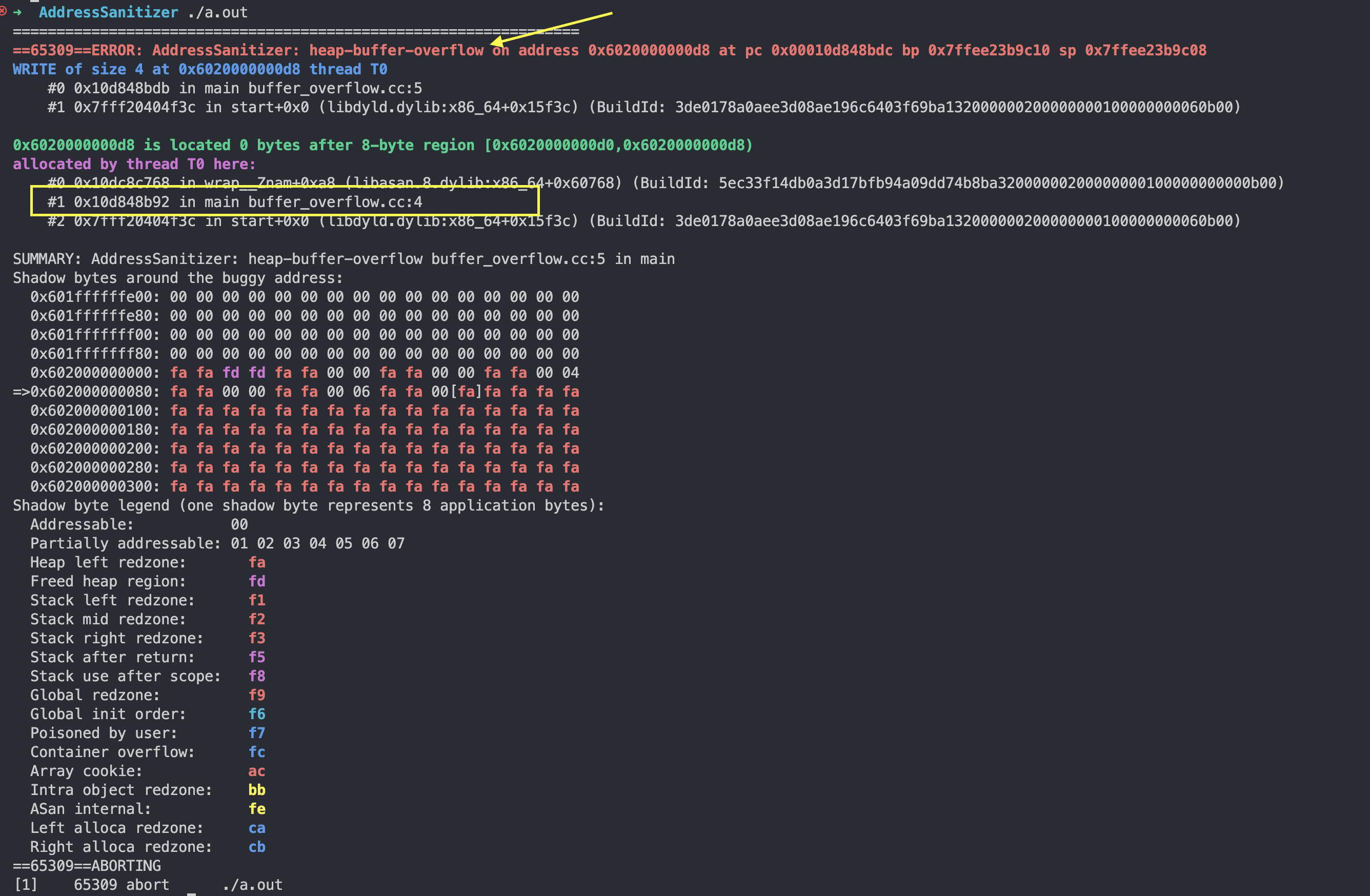
First, an array of two integers is allocated on the heap with the new keyword, and the array's starting address is assigned to the pointer arr. Then the program tries to store the value 10 in the third position of the array (index 2), which is outside the valid bounds of the array, causing a heap buffer overflow error.
#include <iostream>

int main() {
  int* arr = new int[2];
  arr[2] = 10;  // Heap buffer overflow
  delete[] arr;
  return 0;
}
Same usage as above:
Then:
You get the following detection result.
3.stack buffer overflow
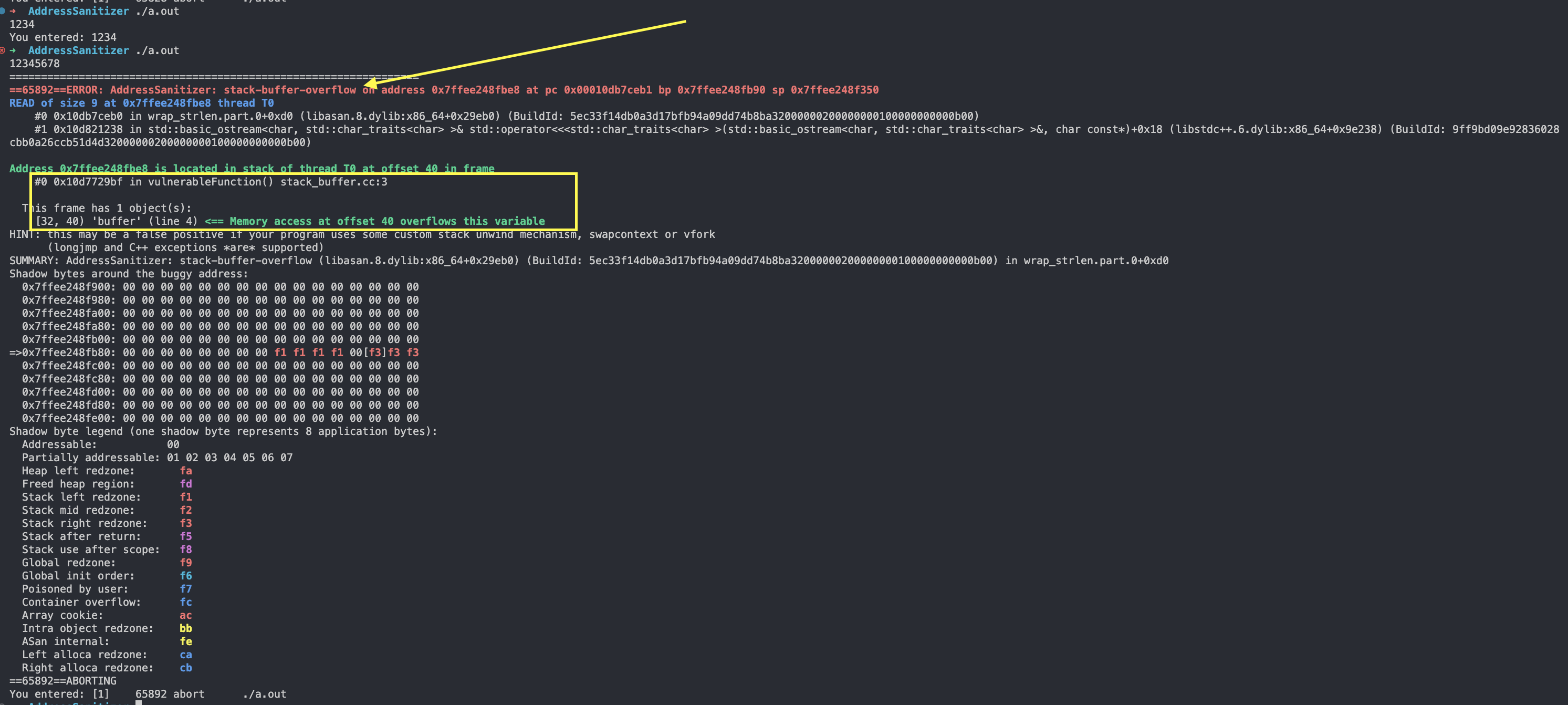
In the vulnerableFunction function, a character array buffer of 8 characters is defined. Then std::cin is used to read data from standard input into buffer, without limiting the input size. If the number of characters entered exceeds the size of buffer, a stack buffer overflow error occurs.
void vulnerableFunction() {
  char buffer[8];
  std::cin >> buffer;  // Stack buffer overflow
  std::cout << "You entered: " << buffer << std::endl;
}
Same usage as above.
4.global buffer overflow
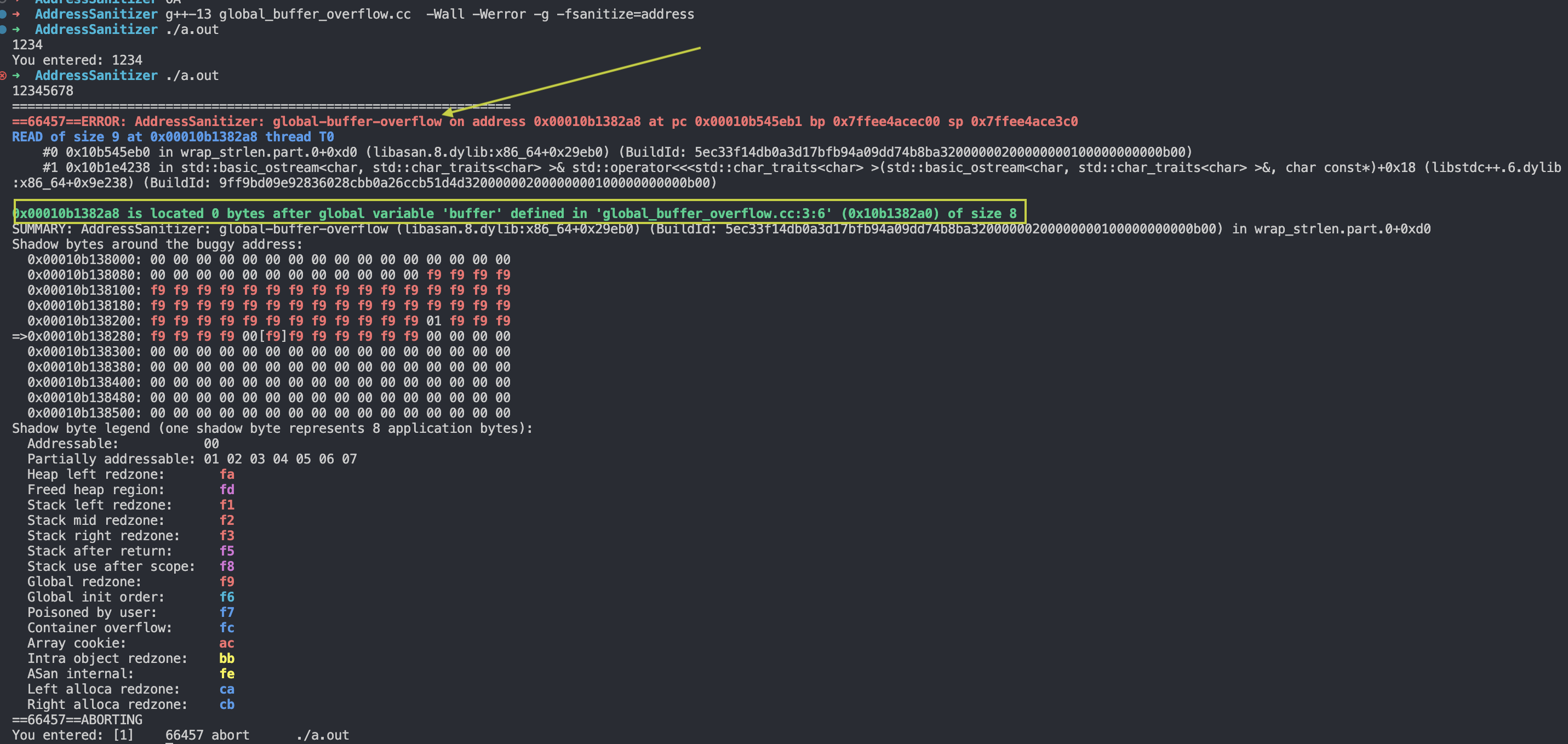
The global buffer (the buffer array) is defined in the program's global scope without sufficient input-size restrictions. If the number of characters entered exceeds the size of the buffer, a global buffer overflow error occurs. Similar to a stack buffer overflow, a global buffer overflow can lead to program instability and security problems.
#include <iostream>

char buffer[8];

int main() {
    std::cin >> buffer; // 全局缓冲区溢出错误
    std::cout << "You entered: " << buffer << std::endl;
    return 0;
}
Same usage as above, and you get:
5.use after return
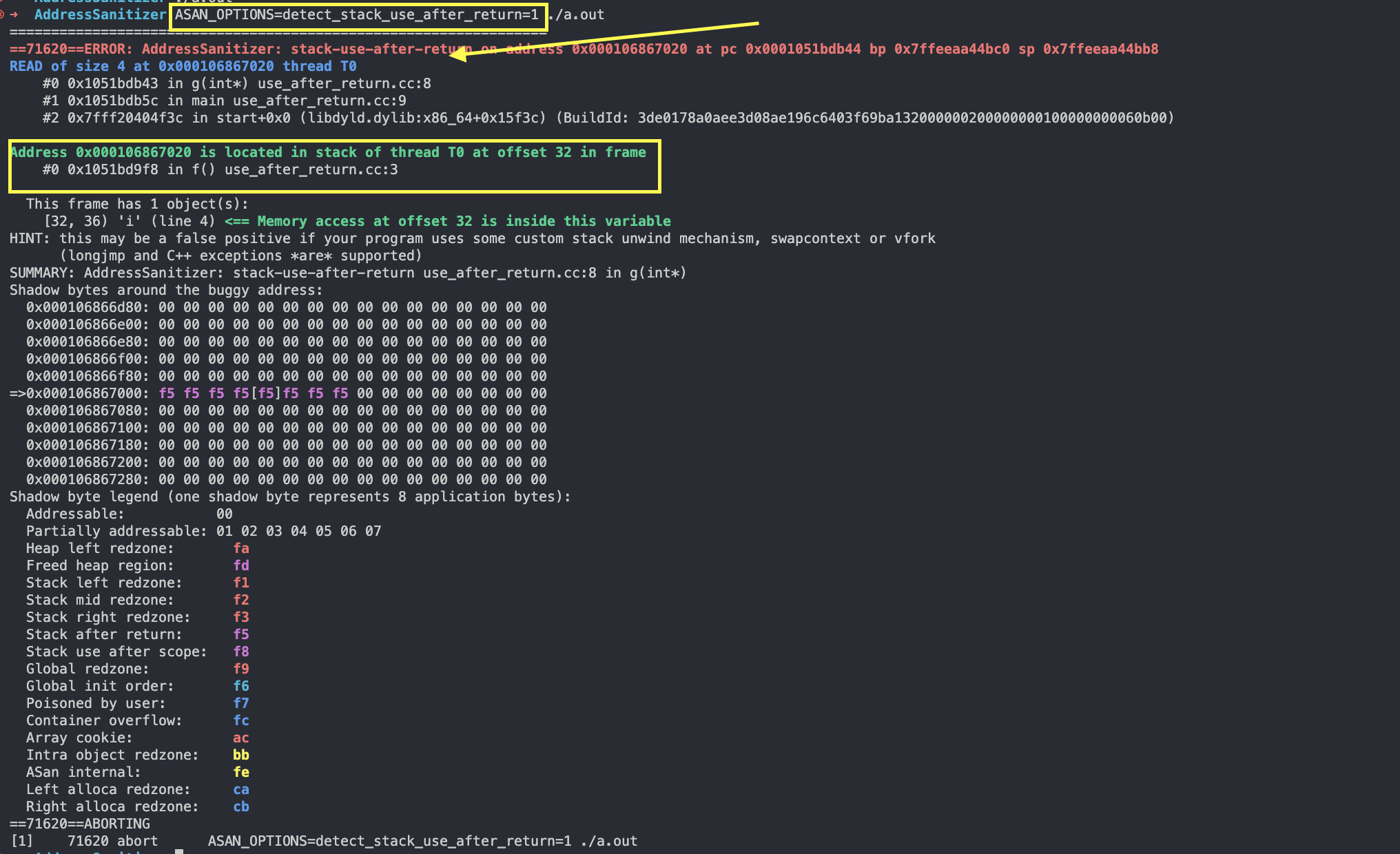
In the function f, the address of the local variable i is returned, but in the main function, an attempt is made to access the already-destroyed local variable through the returned pointer. When this scenario occurs, the binary can be checked by setting ASAN_OPTIONS=detect_stack_use_after_return=1.
g++-13 stack_use_after_return.cc -Wall -g -fsanitize=address
ASAN_OPTIONS=detect_stack_use_after_return=1 ./a.out
The code:
We then get:
6.use after scope
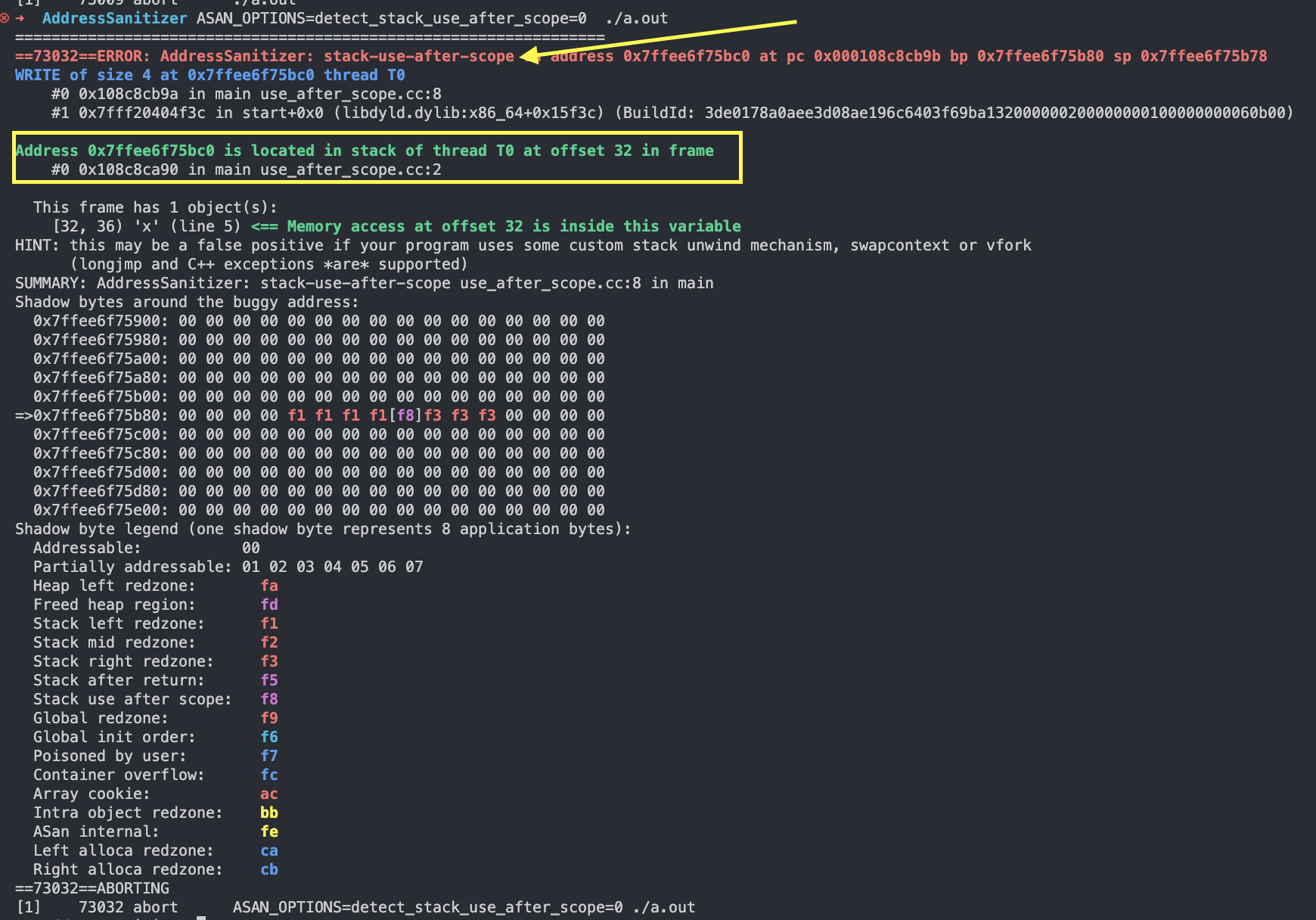
The address of the local variable x is assigned to the pointer p; however, after leaving that inner scope, an attempt is made to access the out-of-scope local variable x through the pointer p, causing a use-after-scope error. This is also undefined behavior.
Compile and run:
g++-13 stack_use_after_scope.cc -Wall -g -fsanitize=address
ASAN_OPTIONS=detect_stack_use_after_scope=0  ./a.out
From my own testing, clang++ can detect it, while g++ cannot.
7.Initialization order bugs
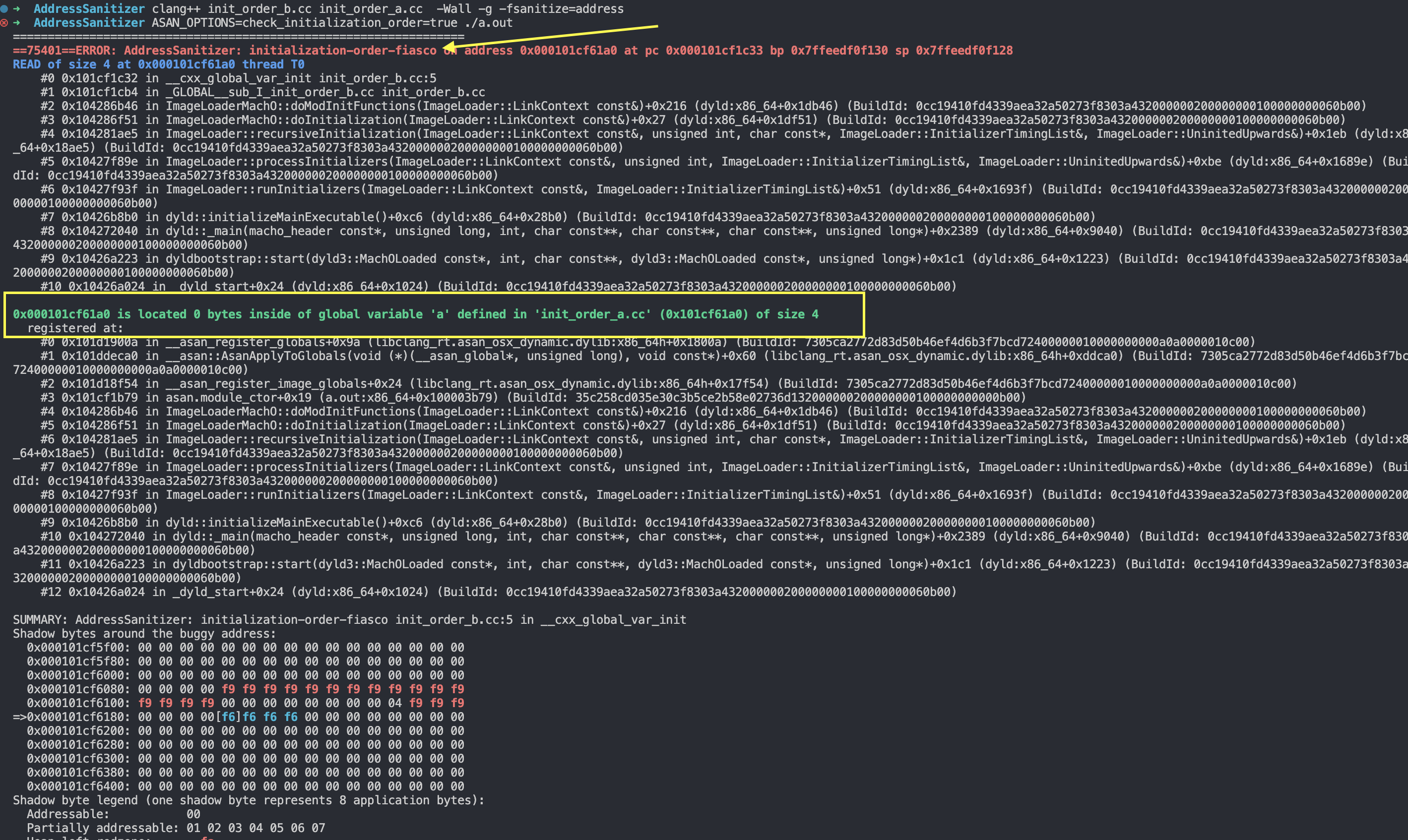
In two different source files there is initialization involving the global variable a, but the order of initialization is unspecified. In the init_order_b.cc file, the value of a is used, but because the initialization order is inconsistent, undefined behavior can result.
The code is as follows:
// init_order_a.cc
int duplicate(int n) { return n * 2; }
auto a = duplicate(2);

// init_order_b.cc
#include <iostream>

extern int a;
auto b = a;

int main() {
  std::cout << b << std::endl;
  return 0;
}
When we write code like this, the result is undetermined: it may be 4 or it may be 0, depending on the order of initialization.
For example:
This way the output is 4, while compiling b first and a second yields 0.
When this kind of problem occurs, we can use AddressSanitizer to check the initialization order.
8.memory leak
Memory for one integer is allocated dynamically with the new keyword, but it is not released with delete before the program ends, causing a memory leak.
#include <iostream>

int main() {
  int* ptr = new int;
  // Missing delete ptr; // Memory leak
  return 0;
}
Set ASAN_OPTIONS=detect_leaks=1.
